What Is GPT Image 2?
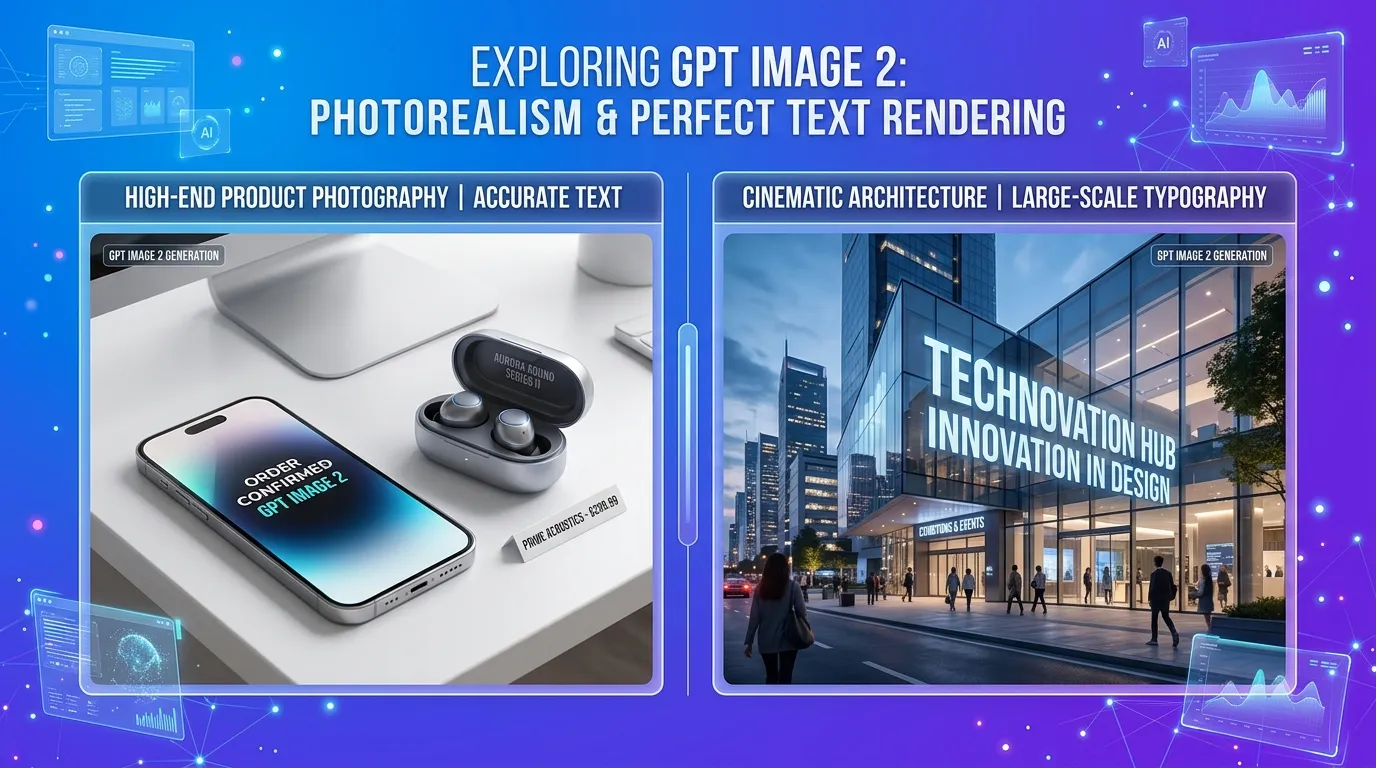
GPT Image 2 is OpenAI's latest image generation model. It produces photorealistic images, renders text inside images with correct spelling, and follows detailed multi-element instructions. Building on GPT-4o Image and DALL-E 3, it handles tasks that earlier AI image generators could not: legible signage in scenes, consistent typography across designs, and multi-part prompts with specific spatial layouts.
Unlike earlier AI image generators that often produced surreal artifacts or mangled text, GPT Image 2 understands the physical world in a way that translates to genuinely convincing visuals. Whether you need a product mockup for an e-commerce store, a social media graphic with embedded typography, or a photorealistic scene for a marketing campaign, GPT Image 2 delivers results that are often indistinguishable from professional photography or design work.
You can try GPT Image 2 right now on the Kairval text-to-image tool. No sign-up is required for your first generations.
How GPT Image 2 Works
GPT Image 2 is built on OpenAI's multimodal architecture, which means it was trained to understand both text and images as part of a unified system. This approach differs from earlier diffusion-only models and gives GPT Image 2 several key advantages:
Deep language understanding: Because the model is grounded in GPT's language capabilities, it interprets prompts with nuance. It understands context, spatial relationships, and descriptive language in ways that pure image models cannot. When you ask for "a minimalist coffee shop interior with warm lighting and a laptop on a wooden table near the window," the model understands not just the individual elements but how they relate to each other in physical space.
Autoregressive image generation: GPT Image 2 uses an autoregressive approach that generates images token by token, similar to how language models generate text. This allows the model to plan the overall composition before filling in details, resulting in more coherent and well-structured outputs.
Native text rendering: The model's language understanding extends to rendering text within images. It can produce words, sentences, and even paragraphs with correct spelling and consistent typography, which has been a persistent challenge for AI image generators.
Key Features of GPT Image 2
Photorealistic Output
GPT Image 2 produces images with a level of photorealism that sets it apart from most competitors. Skin textures, lighting effects, material reflections, and environmental details are rendered with convincing accuracy. That makes it a strong choice for applications where visual authenticity matters: product photography, architectural visualization, and advertising creative.
Accurate Text Rendering
Text in images has been one of the most persistent challenges for AI image generators. GPT Image 2 addresses this with impressive results. It can render:
- Signs and labels in scenes with proper perspective and lighting
- Typography-heavy designs like posters, book covers, and social cards
- Product packaging with realistic text placement and font consistency
- UI elements with readable text in interface mockups
For projects where text accuracy is critical, GPT Image 2 is currently one of the best options available. If text rendering is your primary need, also consider Ideogram V3, which specializes in this area.
Instruction Following
One of GPT Image 2's most practical strengths is its ability to follow detailed, multi-part instructions. You can specify:
- Exact spatial arrangements ("the red cup on the left, the blue notebook on the right")
- Specific quantities ("exactly three people sitting around a table")
- Style combinations ("watercolor painting style with photorealistic lighting")
- Compositional directives ("rule of thirds, negative space on the left")
This instruction-following capability means you spend less time re-generating and more time creating. The model understands what you mean and delivers results that match your intent.
Image-to-Image Editing
Beyond generating images from text, GPT Image 2 supports image-to-image editing. Upload an existing photo and instruct the model to:
- Change the style (e.g., convert a photo to an illustration)
- Add or remove elements
- Adjust lighting, colors, or mood
- Transfer artistic styles from one image to another
This makes GPT Image 2 a versatile tool not just for creation but for editing and enhancing existing visual content.
GPT Image 2 Use Cases
GPT Image 2's combination of photorealism, text rendering, and instruction following makes it valuable across a wide range of professional and creative applications.
Marketing and Advertising
Marketing teams use GPT Image 2 to create campaign visuals, ad creative, and branded content at scale. The model's ability to follow brand guidelines through detailed prompts means you can generate on-brand imagery without a designer for every iteration. Product mockups, lifestyle shots, and social media graphics can all be produced quickly and iteratively.
E-Commerce and Product Design
Online sellers use GPT Image 2 to create product lifestyle photos without expensive photo shoots. Upload a product image and generate it in various settings: on a beach, in a modern kitchen, or against a clean studio background. The model's photorealistic output ensures product imagery looks professional and trustworthy.
Content Creation
Bloggers, YouTubers, and social media creators use GPT Image 2 to produce thumbnails, illustrations, and visual content that stands out. The text rendering capability is especially useful for creating YouTube thumbnails and social cards with bold, readable text overlays.
UI/UX Design
Designers use GPT Image 2 to rapidly prototype interface concepts, generate placeholder imagery, and explore visual directions before committing to final designs. The model's understanding of UI patterns means it can generate realistic mockups of apps, websites, and digital products.
Concept Art and Illustration
Artists and creative professionals use GPT Image 2 for rapid concept exploration. Whether developing characters for a game, environments for a film, or visual concepts for a branding project, the model provides a fast way to iterate on ideas before investing in manual production.
GPT Image 2 vs Other AI Image Generators
How does GPT Image 2 compare to other leading models? Here's a quick overview:
| Feature | GPT Image 2 | DALL-E 3 | Imagen 3 | FLUX.2 Pro |
|---|---|---|---|---|
| Photorealism | Excellent | Good | Excellent | Excellent |
| Text rendering | Excellent | Good | Good | Moderate |
| Instruction following | Excellent | Good | Good | Excellent |
| Image-to-image | Yes | Limited | Yes | Yes |
| Speed | Moderate | Fast | Moderate | Fast |
| Best for | Versatile professional use | Quick generations | Photorealistic scenes | Detailed control |
For a more detailed comparison, check out our guide comparing GPT Image 2 vs DALL-E 3 vs Midjourney.
How to Use GPT Image 2
Getting started with GPT Image 2 on Kairval is straightforward:
- Go to the text-to-image tool: No account needed for first-time use
- Select GPT Image 2 from the model dropdown
- Write your prompt: Be specific about subject, style, composition, and any text you want in the image
- Choose your settings: Select aspect ratio and any model-specific options
- Generate: Click generate and wait for your result
- Refine: Adjust your prompt and regenerate until you get the perfect image
For image-to-image editing, switch to the image-to-image tool, upload your source image, and provide editing instructions in the text prompt.
Prompt Tips for GPT Image 2
Because GPT Image 2 has strong language understanding, you can write prompts naturally, almost like describing an image to a human designer. Here are some tips:
- Describe the scene in detail: "A modern living room with floor-to-ceiling windows, afternoon sunlight casting long shadows, a leather sofa with two teal cushions, a glass coffee table with an open book and a steaming cup of coffee"
- Specify text explicitly: If you want text in the image, put it in quotes, e.g. "a neon sign reading 'OPEN 24/7' above the entrance"
- Include style and mood: "cinematic lighting, warm color palette, nostalgic mood" helps the model understand the atmosphere you want
- Be specific about composition: "wide-angle shot, viewed from slightly above, subject centered" gives you more control over the layout
For more prompt examples and techniques, see our guide to the best prompts for GPT Image 2.
Pricing and Access
GPT Image 2 is available on Kairval through a credit-based system. New users receive free credits to try the model before committing to a paid plan. The model's credit cost reflects its advanced capabilities: it produces higher-quality output than standard models but requires more computational resources.
Visit the Kairval pricing page for current credit packages and to compare costs across all available models including GPT-4o Image, Imagen 3, and FLUX.2 Pro.
Getting Started
Ready to try GPT Image 2? Here's how to get the best results on your first attempt:
- Start with a clear idea: Know what you want before you start prompting
- Use the prompt formula: Subject + Setting + Style + Lighting + Text (if needed)
- Generate multiple variations: Don't settle for your first result
- Iterate on your prompt: Add detail where the output falls short of your vision
- Explore image-to-image: Transform your existing photos with AI-powered editing
Head to the GPT Image 2 model page to start creating, or explore the full range of AI creative tools available on Kairval including text-to-video generation and image-to-video animation.
GPT Image 2 is available on Kairval right now. Open the text-to-image tool, describe the image you need, and have a result in under 30 seconds. No design skills required.

![Gemini vs ChatGPT: Which AI Is Better? [2026]](/kairval/images/blog/00ede4e2-92de-421e-b378-ac6d2ba8fa05.webp "Gemini vs ChatGPT: Which AI Is Better? [2026]")